


Caller Times
4.055.00 Reviews
App Specs
- Version
- 8.10.3
- Updated On
- License
- Free
- Downloads
- 10,000+
- Developer
- USA TODAY Co.
- Categories
- News & Magazines
- Platform
- Android
Screenshots


 Analysis by AppCompare
Caller Times is the kind of news app I would open when I want a quick sense of what is happening locally without giving up national coverage. It comes from USA TODAY Co. and sits in the News & Magazines category, with a focus that feels especially useful for readers who care about their community as much as the larger headlines. I found its mix of local reporting, broader stories, photography, and video more practical than a feed built only around national news.
The app is free to download, although it includes in-app purchases ranging from around fifteen dollars to around seventy dollars per item. That makes the initial decision easy, but it is still worth checking what appears behind any subscription or purchase prompt before committing. Its age rating is Everyone 10+, and it supports devices running Android 8.0 or later. The current version is 8.10.3, so users with older phones should check compatibility before planning around it.
How Caller Times handles readability and navigation
My first impression was that Caller Times is built for scanning rather than for sitting down with one long article immediately. That is a sensible approach for a newspaper app: I can look through headlines, pause at a story that matters, and then decide whether I want the full report. The arrangement suits short breaks during a commute, a lunch period, or the few minutes before leaving home.
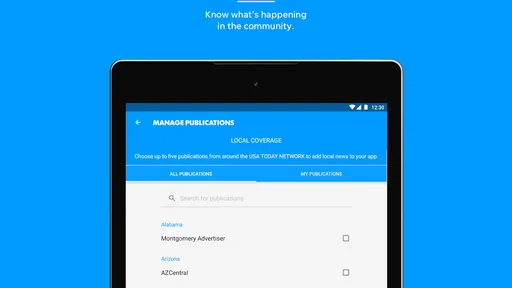
The strongest part of that design is the relationship between local and national material. A reader does not have to choose between a community-focused publication and a broad news service every time they open the app. Local stories give the app a reason to return, while national coverage helps place those stories in a wider context. I especially liked that combination for days when a local event connects to a larger issue.
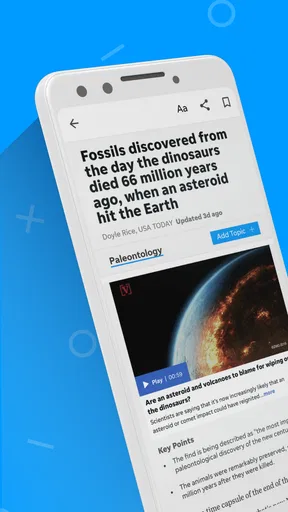
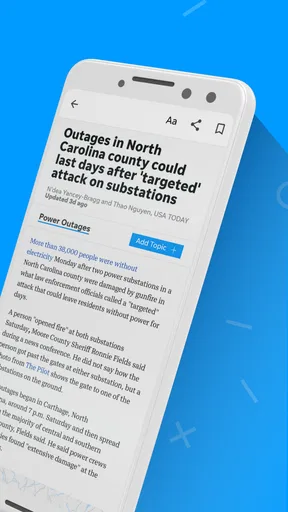
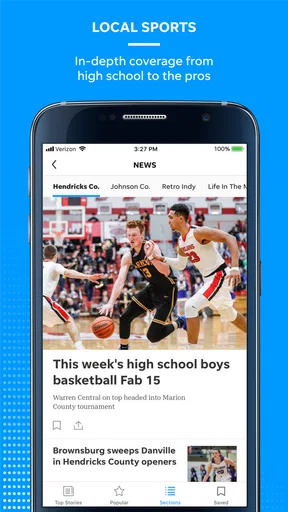
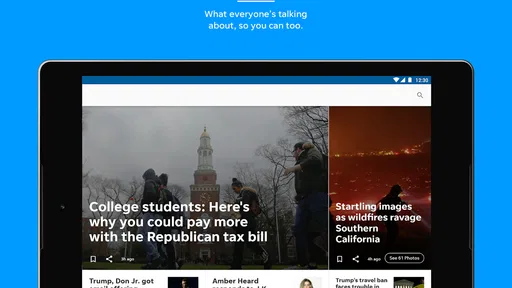
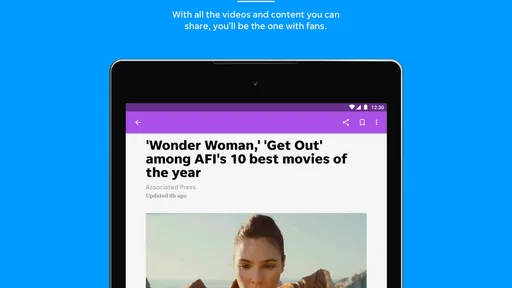
Readability is not only about font size. It also depends on whether the screen feels crowded, whether headlines are distinct from supporting text, and whether images help rather than distract. Caller Times benefits from its use of photography and video because visual material can make a developing story easier to understand at a glance. At the same time, image-heavy presentation can make a page feel more demanding for someone who prefers a quiet, text-first layout.
I would recommend taking a few minutes to learn the app's rhythm instead of judging it after opening one headline. News applications often reward users who notice how sections are arranged and how stories return to the main feed. That small adjustment matters for people with attention difficulties: a predictable routine can be more helpful than constantly searching for the same type of article.
For readers who use larger text or display magnification on their phone, the practical test is whether headlines and controls remain comfortable without forcing excessive scrolling. I would not assume that every screen will feel equally clear at every system setting. A person with low vision should try the free experience on their own device and check several areas, including a headline list, a photo-led story, and a video item.
Worth Reading Before You Choose

EA SPORTS FC Mobile 26 Is a Bigger Football Game, but It Takes Time

Flipboard Shows What News Apps Must Do Beyond the Feed

Switching to Android Auto Means Rethinking Your Driving Routine

Google Calendar Makes a Crowded Week Easier to Manage

Ludo King Makes the Most of the Minutes Between Plans

Baby Panda World Brings Quick Play to Modern Phones, but Its Game Library Feels Busy
There is also a useful distinction between reading for information and reading for detail. The front-facing feed works well when I need to identify the important stories quickly. When I need names, dates, or context, I have to slow down and enter the article itself. That two-speed experience is helpful, but it means the app is not a replacement for a dedicated reading tool for people who want a highly controlled text environment.
Practical reading habits that make the app easier
I found three habits particularly useful. First, I would open the app with a specific purpose rather than endlessly browsing: local updates, national headlines, or a visual story. Second, I would use the headline view as a filter and reserve full articles for pieces that genuinely matter. Third, I would avoid judging the service by its most visual pages if my priority is calm, uninterrupted reading.
That approach also helps users who tire quickly when processing dense information. Instead of trying to consume every item, I can treat the home screen as a menu. The app becomes less overwhelming when I decide in advance whether I am looking for immediate information or a deeper read.
Motor and sensory considerations in everyday use
Touch-based news reading can be comfortable for many people, but it can also expose small frustrations. Scrolling, selecting a headline, returning to a previous screen, and handling video controls all require different kinds of precision. For someone with tremors, limited reach, or difficulty with repeated gestures, a long session may feel more tiring than it does for a typical user.
Caller Times is most approachable when I use it in short sessions. I can read a few headlines, open one article, and put the phone away without needing a complex setup. That makes it a reasonable choice for people who have limited hand endurance or who prefer not to perform many interactions at once. The trade-off is that a person who wants to browse deeply may encounter more repeated scrolling and tapping.
Photography is one of the app's noticeable strengths, but it changes the sensory experience. Images can provide useful context for readers who understand a story more easily through visuals. They can also create a busier screen for people who are sensitive to visual clutter or who find rapid shifts between text, pictures, and video tiring. I would use the app's news feed selectively rather than treating every item as something that must be opened.
Video deserves separate attention. Rich video content can explain an event quickly and may be valuable when a scene, interview, or demonstration communicates more than a paragraph. However, video is not automatically inclusive. Some readers need captions, others prefer transcripts, and some simply need the ability to pause without losing their place. I would inspect the controls on an individual video before relying on it as the only way to understand a story.
Sound is another situational issue. In a quiet room, video may be convenient; on public transport, in a waiting room, or beside a sleeping family member, it may be unsuitable. I prefer to treat video as an optional layer rather than the main route through the app. If I need discreet reading, I stay with text and use images only when they add clear value.
For users who rely on screen readers or voice control, the experience should be tested rather than assumed. A news app can contain several kinds of content on one screen, and the order in which a device reads headlines, images, labels, and controls affects how usable it feels. Caller Times may work well for one person's setup and less well for another, so a short trial with the phone's existing assistive tools is more informative than a general promise about accessibility.
A realistic scenario: catching up without ideal conditions
Imagine checking the app while waiting in a busy clinic. You may have one hand free, little time, and no desire to play audio. In that situation, the local headline feed is more useful than a long video. I would scan the main stories, open one article, and save the rest mentally for later rather than fighting the noise, glare, and interruptions around me.
Now imagine using it at home after work, with more time and a stable connection. That is when the photography and video become more worthwhile. I can explore a story at my own pace and decide whether the visual reporting adds something that text alone would miss. The app's value changes with the environment, which is important for anyone whose concentration, hearing, or mobility varies during the day.
Situational access: where the app fits best
Caller Times makes the most sense for people who want local news to remain part of their everyday routine. If I live in or feel connected to the area covered by the publication, the app has a clearer purpose than a generic national aggregator. It can help me check community developments, then move naturally to larger stories without switching between several services.
It is also useful for family members who live away from the area but want a direct view of local events. A broad news app may mention a major development, while a local publication is more likely to make the community angle central. I would not use it as my only source for every subject, but I would keep it nearby when local context matters.
The app is less convincing for someone who wants a completely customizable news dashboard. Readers who prefer to combine many publishers, remove visual content, or control every part of the feed may find an aggregator more flexible. Likewise, people who want only international headlines will probably get more value from a service designed around that purpose.
Its free entry point is helpful for casual readers. I can try the core experience before deciding whether it deserves a regular place on my phone. The presence of paid items changes the calculation for heavier users, especially anyone who expects unlimited access or wants to make a purchase without interruptions. I would first establish how often I actually read local coverage, then decide whether the paid path is worthwhile.
The app's long history also matters in a practical way. It was released in December 2010, so it is not a brand-new experiment. That does not guarantee that every screen will suit every user, but it suggests a product shaped by years of newspaper-app expectations rather than a temporary headline feed. The current version should still be treated as the relevant experience, particularly when comparing behavior across devices.
Remaining barriers and honest trade-offs
The biggest limitation is that visual richness can work against simplicity. Spectacular photography and video make a story more engaging, but they can increase loading, attention, and sensory demands. Someone looking for a plain, low-distraction reading experience may prefer a text-focused website or a lightweight news reader.
Another barrier is the uncertainty that comes with mixed content. A user may approach the app for text and encounter a page where visual or video elements are central. That is not inherently bad, but it means the app may require more personal adjustment than a service built around one consistent format. I would not recommend it blindly to someone who needs every story presented in exactly the same way.
Paid access can also create friction. The app is free, but paid items are part of the experience, and the listed range reaches from around fifteen dollars to around seventy dollars for an item. Before purchasing, I would read the wording on the offer carefully and consider whether my reading habits justify it. Casual users may be perfectly satisfied with trying the free experience, while frequent local-news readers may see more value in continued access.
People with limited data, older hardware, or unreliable connectivity should be especially thoughtful about the visual side. News photography and video are attractive, but they are not always the most economical choice in every situation. I would use text articles when speed and data conservation matter, and leave video for a dependable connection.
There is also the question of trust in a single publication. Caller Times has a distinct editorial identity, which is useful when I want local perspective, but it is not the same as comparing several outlets. For sensitive or fast-changing subjects, I would read the local report and then consult another reliable source before making an important decision. That is not a criticism of this app so much as a sensible limit of any single-news service.
Its average rating is about four out of five from over two hundred ratings, with more than fifty written reviews, and the app has passed ten thousand installs. Those figures suggest a modest but real audience rather than a universally dominant news platform. I read that as a reason to evaluate it on fit: the right reader may find it valuable, while someone seeking a massive, highly customizable news ecosystem may not.
My inclusive verdict for different readers
After using Caller Times as a local-and-national news companion, I see its best quality in the way it gives community reporting a clear place beside broader headlines. The photography and video add depth when I have the time and the right environment, while the headline flow works for quick checks. The app is most successful when I use it intentionally instead of expecting one screen to satisfy every reading preference.
I would recommend it to local readers, families keeping up with a community from a distance, and anyone who likes visual reporting but still wants ordinary text articles available. It is also a sensible trial for people who want a free news app before considering paid access. The Everyone 10+ rating makes it suitable for a broad audience, though younger readers may still benefit from an adult helping them judge difficult stories.
I would hesitate to recommend it as the main news tool for someone who needs a highly controlled, text-only interface, extensive customization, or a guaranteed single-format experience. Readers who depend on captions, screen readers, voice control, magnification, or reduced visual stimulation should test several content types on their own device. Inclusive use here depends on how well the app fits your personal settings and the situation in which you read.
My final advice is simple: install it for the local coverage, spend a few sessions checking both text and visual stories, and pay attention to how comfortably you navigate with your usual phone settings. If the local perspective keeps bringing you back, the app has a clear role. If you mainly want a quiet, customizable stream of national headlines, another news reader will probably suit you better. For readers who value community context and can adapt their reading style to mixed media, Caller Times is a worthwhile free starting point, with enough depth to become a regular part of a daily news routine.
Pros
- Clear local news coverage for the Caller-Times service area.
- Breaking-news alerts help users follow important regional events.
- Articles are easy to browse by topic and local section.
- Supports on-the-go reading through a dedicated mobile interface.
- May include photos
- videos
- and multimedia alongside selected stories.
Cons
- Some premium articles may require a paid subscription to access.
- Advertising can interrupt browsing and reduce reading comfort.
- Coverage is mainly regional
- with limited value for distant readers.
- Notifications may feel excessive unless alert settings are adjusted.
- App performance and content availability can vary with internet quality.
FAQs for Caller Times
What is Caller Times?
Caller Times is a digital news application focused on delivering local and regional coverage, with an emphasis on stories relevant to the Corpus Christi and South Texas area. After installing it, users can browse breaking news, community updates, sports, entertainment, business, and other sections in one place. The exact content available may depend on your location, subscription status, and the current version of the app.
Is Caller Times free to download and use?
The Caller Times app is generally free to download, allowing users to explore the application and read some available content. However, certain articles, premium reports, or digital features may require a paid subscription or account. Before downloading, check the pricing and subscription details shown in the Google Play Store or Apple App Store, since offers, trial periods, renewal terms, and available plans can change over time.
What kind of news can I read in Caller Times?
Caller Times is designed for readers who want news connected to Corpus Christi and the surrounding South Texas communities. The app may include local government, crime, education, weather, public events, business, sports, entertainment, and opinion coverage. It can also provide breaking-news updates and regional stories. The selection and publishing frequency may vary depending on current events and editorial priorities.
Does Caller Times require an account or subscription?
You may be able to download Caller Times and view some content without creating an account, but registration can be necessary for personalized features, saving articles, managing notifications, or accessing subscriber-only stories. A subscription may also be required after reaching a content limit. Review the in-app prompts carefully before subscribing, especially the billing cycle, automatic renewal policy, cancellation process, and whether your account works across devices.
Does Caller Times send notifications and work on both Android and iPhone?
Caller Times is intended for mobile readers and may be available on both Android and iOS, although supported versions and features can differ between platforms. The app can request permission to send breaking-news, weather, sports, or other alerts. Notifications are optional, and you can adjust them through the app or your device settings. A stable internet connection is recommended for loading current articles and multimedia content.


